Reviews for local shops do two jobs at once. They tell a nearby shopper that your store is worth the trip, and they tell an online shopper that the mug, candle or print they're looking at is as good in person as it is in the photo. If you run a boutique, gift shop, studio or maker business that sells both in person and online, you probably have both kinds of reviews scattered across Google, Facebook, Etsy, WooCommerce or Shopify. Boutique reviews like these are useful content you already own, and most shop websites barely use them.
This guide is for shop owners and the agencies that build their sites.
The two kinds of reviews a shop has
Most independent retailers collect reviews in two very different places, and they answer different questions.
Business reviews: the store and the service
Google reviews and Facebook recommendations are about your business as a whole. People write them after visiting the shop, picking up an order or dealing with you directly. They tend to mention things like:
- How the store feels when you walk in
- Whether staff were helpful and knowledgeable
- Gift wrapping, special orders and custom requests
- How you handled a return or a problem
For a shopper deciding whether to visit, these answer "is this place worth my Saturday afternoon?"
Product reviews: the items themselves
Product reviews live on Etsy, WooCommerce, or Shopify through Judge.me. They're tied to a specific item and tend to talk about quality, size, color accuracy, packaging and shipping. They answer a different question: "will this thing be what I expect when it arrives?"
An online shopper can't pick the item up, so a good product review does some of the work their hands would do in the shop.
You need both. Business reviews build trust in you. Product reviews build trust in what you make or sell.
Where to show reviews on a shop website
Placement matters more than volume. A few well chosen reviews on the pages people actually visit do more than a wall of them on a "Testimonials" page nobody opens. For a deeper look at matching reviews to pages, see how to show the right reviews on the right pages.
Homepage
Your homepage is where both audiences land. A short strip of reviews near the top sets the tone fast. A horizontal carousel works well here because it stays compact.
Product and collection pages
This is where product reviews earn their keep. Put reviews for the item (or the collection) right near the price and the add-to-cart button. On a collection page, a small set of reviews about that category, like "planters" or "earrings," helps a browser trust the whole range.
About or visit-us page
Your visit page has your hours, address and map, which makes it the natural home for Google reviews about the in-store experience. Someone checking your hours is close to deciding whether to come in. Our guide on how to add Google reviews to your website walks through the setup.
Gift guides and seasonal pages
Gift guides are made for reviews that mention gifts. More on that below.
A badge in the header or sidebar
A small badge showing your overall rating sits quietly in the header or sidebar on every page and opens a popup of reviews when clicked.
Review photos make a product page feel real
Product reviews often come with customer photos: the vase on someone's mantel, the necklace being worn, the print framed on a real wall. Those photos are often more convincing than your own product shots, because they show the item in an ordinary home with ordinary lighting.
BrandTrust can show review photos in the widget on every plan, including free. Reviewer photos are served through BrandTrust's image proxy, so a visitor's IP address isn't passed to the source platform when the page loads.
If your product reviews are photo-heavy, a masonry layout is a natural fit. It lets cards of different heights stack neatly, so a review with a tall photo sits next to a short text-only one without awkward gaps.
Showing reviews by product
Product reviews are only useful if a shopper can tell which product they're about.
Etsy reviews are tied to a listing. Etsy doesn't make buyer names available, so in a BrandTrust widget each Etsy review shows the product title and product photo instead of a buyer name. On a shop site that works in your favor, since a product name and photo tell a visitor more than a first name would. See the Etsy reviews widget for details.
WooCommerce reviews also show the product, so the same idea applies if your store runs on WordPress. The WooCommerce reviews widget pulls them in directly.
Judge.me reviews cover Shopify stores. If you sell on Shopify and also have a Google Business Profile for your storefront, our guide on showing Judge.me reviews with Google reviews on Shopify goes step by step. The Judge.me reviews widget page has the specifics.
You can filter and order reviews so a product page shows reviews that fit it, and you can feature particular reviews you want near the top.
Combining in-store and online reviews in one widget
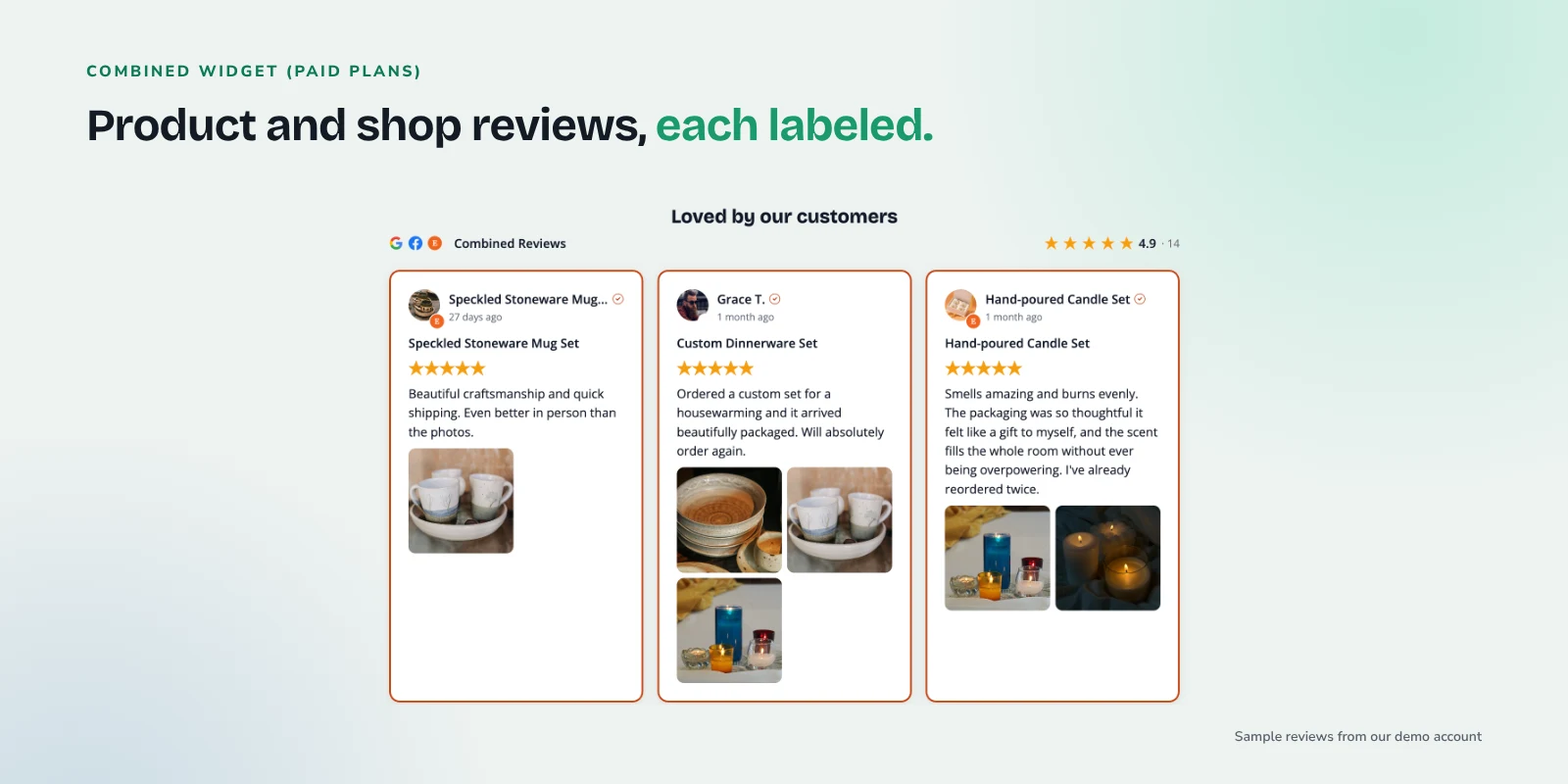
Many shops have two separate review stories: Google reviews from people who visit, and product reviews from online buyers. On paid plans, BrandTrust can combine review sources in one widget, so your Google, Facebook and Etsy (or WooCommerce or Judge.me) reviews show together.
Each review in a combined widget is labeled by its source, so a shopper can see which ones came from Google and which came from Etsy. Together they tell a fuller story: people like the shop and they like the products.
The headline rating and total count always reflect all of your reviews, not only the ones you choose to feature. Featuring your favorite reviews changes what shows first, not the math.
See current plans on the compare page for which features come with each tier.
Layout ideas for shops
Every layout is available on the free plan, so you can try a few and see what fits your design.
- Masonry for photo-heavy product reviews on product or collection pages.
- Carousel for a homepage strip. It scrolls horizontally with arrows and dots, so it stays tidy.
- Badge in the header or sidebar, opening a popup of reviews when clicked.
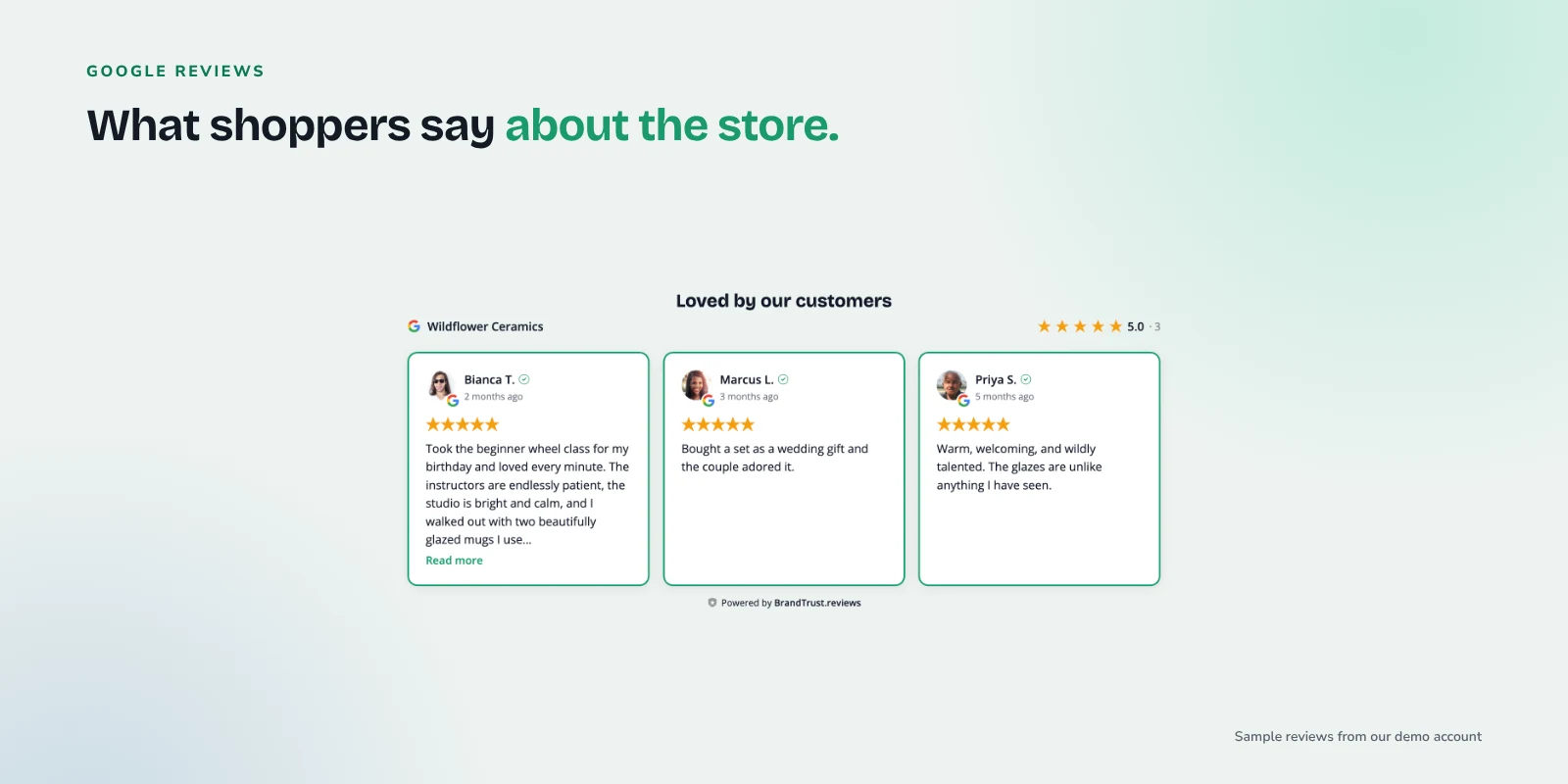
- Grid for a visit-us page with a handful of Google reviews below your map.
Embedding is one snippet (a div plus a script tag), and it works on WordPress, Shopify, Wix, Squarespace, Webflow and plain HTML sites.
Seasonal use: gift guides and holiday pages
Customers often write things like "bought this as a gift for my sister and she loved it." Those are exactly the reviews a gift guide visitor wants to read.
Tags let you group reviews by theme. Basic tags are available on paid plans, and on the Growth plan Smart Tags can auto-tag reviews by keyword. Set up a Smart Tag for words like "gift," "present" or "birthday," and reviews mentioning them flow into that tag automatically as they come in. Then build a widget for your holiday gift guide that shows only reviews with that tag.
The same approach works for other moments in your calendar:
- "Wedding" or "bridesmaid" for a bridal collection
- "Teacher" for end-of-school-year gifts
- "Custom" or "personalized" for made-to-order pages
Keeping reviews current with sync
A product page showing only reviews from years ago makes a shopper wonder whether you still make that item.
BrandTrust imports your existing reviews from connected sources and keeps them synced automatically. On the free plan, auto-sync runs daily. New Google reviews from in-store visitors and new Etsy or WooCommerce product reviews show up in your widget without anyone copying and pasting.
Asking happy customers for reviews
Displaying reviews only works if you keep getting new ones. The easiest moments to ask are at the register when someone is clearly delighted, in a thank-you note tucked into an online order, or in a short follow-up email a week after delivery. Our post on how to ask customers for reviews, with templates has wording you can copy for each of these.
Keep requests simple and don't offer anything in return: Google's Maps user content policy doesn't allow incentives such as discounts or free goods in exchange for reviews.
A quick checklist for shop owners
- Connect Google and Facebook for in-store reviews, and Etsy, WooCommerce or Judge.me for product reviews.
- Add a carousel strip of reviews to your homepage.
- Put product reviews near the price on product and collection pages.
- Add Google reviews to your visit-us page next to your hours and map.
- Show review photos, and try masonry for photo-heavy products.
- Add a rating badge to your header.
- Set up gift-related tags before your busiest season.
- Ask happy customers for reviews in person and after online orders.
Frequently asked questions
Can I show Etsy reviews on my own website?
Yes. BrandTrust imports Etsy reviews from your shop and displays them in a widget you embed on your site. Because Etsy doesn't make buyer names available, each review shows the product title and photo instead of a reviewer name.
Should I mix Google reviews and product reviews in one widget?
It often works well on a homepage, because it shows both that people like the shop and that they like the products. Combining sources is available on paid plans, and each review is labeled by its source so shoppers can tell them apart. On product pages, product reviews alone are usually the clearer choice.
What if I only sell in person and don't have product reviews?
That's fine. Google reviews and Facebook recommendations about your store and service are plenty to start with. Put them on your homepage and visit-us page, and add product sources later if you start selling online.
Will showing reviews get me star ratings in Google search?
No one can promise that. Google doesn't show review stars for a business's own reviews displayed on its own website, including reviews shown through a third-party widget. Reviews on your site are there to help shoppers decide, not to change how your listing looks in search.
Try it with your own reviews
If you'd like to see how your own shop's reviews look on your site, you can start on the free plan. There's no credit card and no trial timer, so connect a source, try a layout or two, and keep it if it helps.